Existing Contractor Process
Purpose
Annual Updates & Ongoing Maintenance
Once approved, contractors must keep their RWCV information current to maintain approved status. RWCV Hub is the official system for submitting updates and documentation.
When Updates Are Required
Existing contractors should submit updates when:
- Insurance policies change or expire
- Safety information needs to be reported annually
- Company contact information changes
- Services, activities or rates change. (Rate changes must be approved in writing by both parties.)
- User access needs to be added or removed
Logging In
To submit updates:
- Log in to the RWCV Hub: https://southernute.sharepoint.com/sites/rwcvhub
- Navigate to your company site displayed in the right hand column under “Your sites” (#1 below in image below)
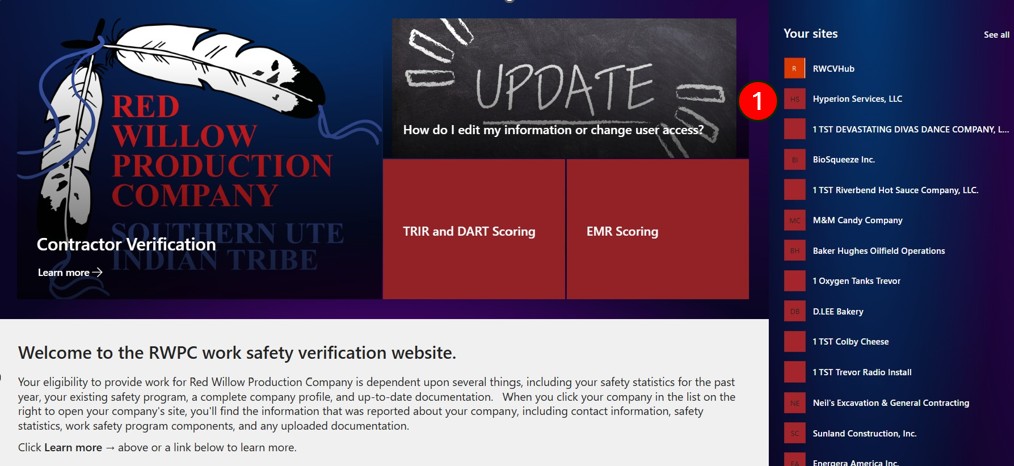
Only authorized users may submit updates.
Updating your Company Information
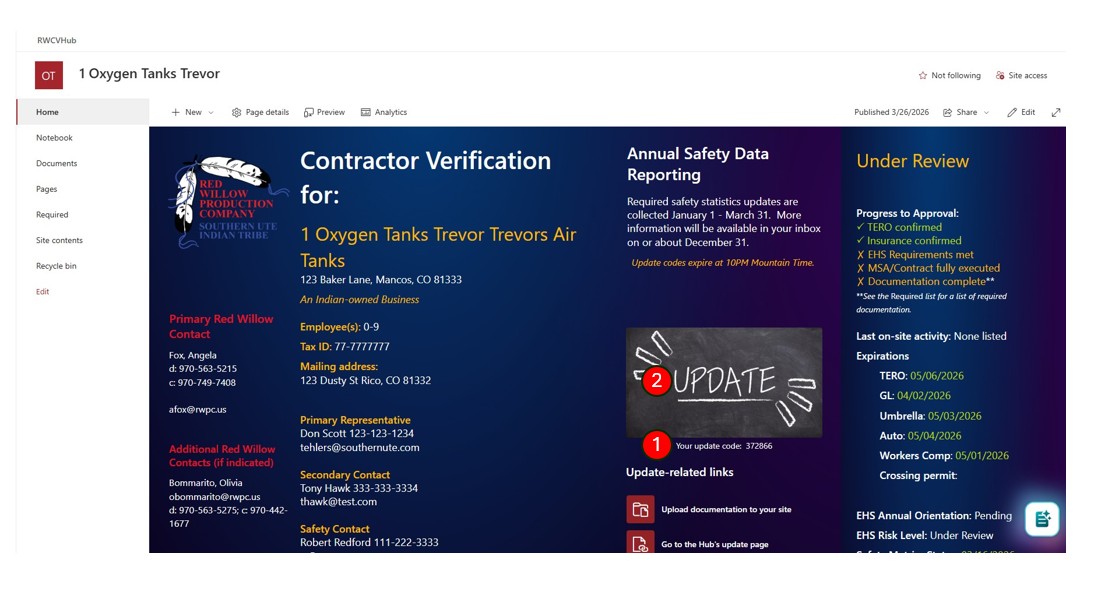
- Each contractor dashboard displays a unique update code that refreshes nightly and is used and required to successfully submit updates. Copy this code to use in the Update form.
- Click “UPDATE” to go page where you can update your company’s information/Request or change user access.
Submitting Updates
Updates are submitted using forms linked from the RWCV Hub:
- Company and contact updates
- Documentation updates
- User access requests
- Annual safety reporting
Safety metrics and safety program information are collected only during the annual reporting window (typically January–March).
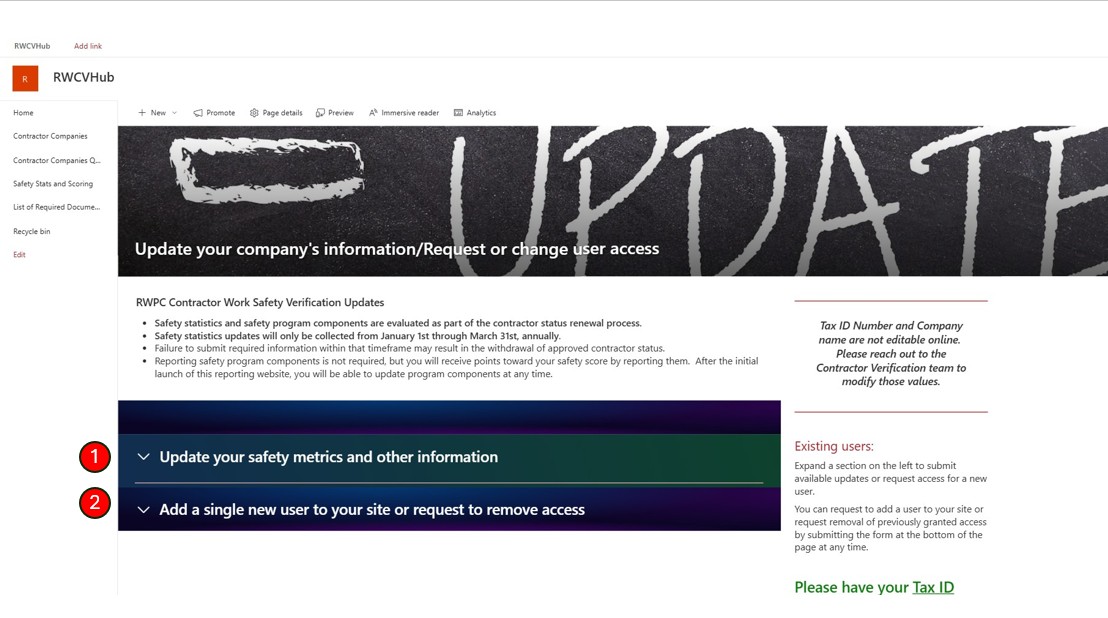
- Click to on this dropdown to access form to update safety metrics and other information
- Click on this dropdown to add / remove users from your company site
User Access Management
Authorized contractor users may:
- Request access for new users
- Request removal of existing users
Access requests must be submitted through RWCV forms to ensure proper tracking.
Uploading Updated Documents
Contractors are responsible for:
- Uploading new or replacement documents to the Documents library on their company site.
- Ensuring expiration dates are accurate
- Keeping documentation current
Expired or missing documents may affect approval status.
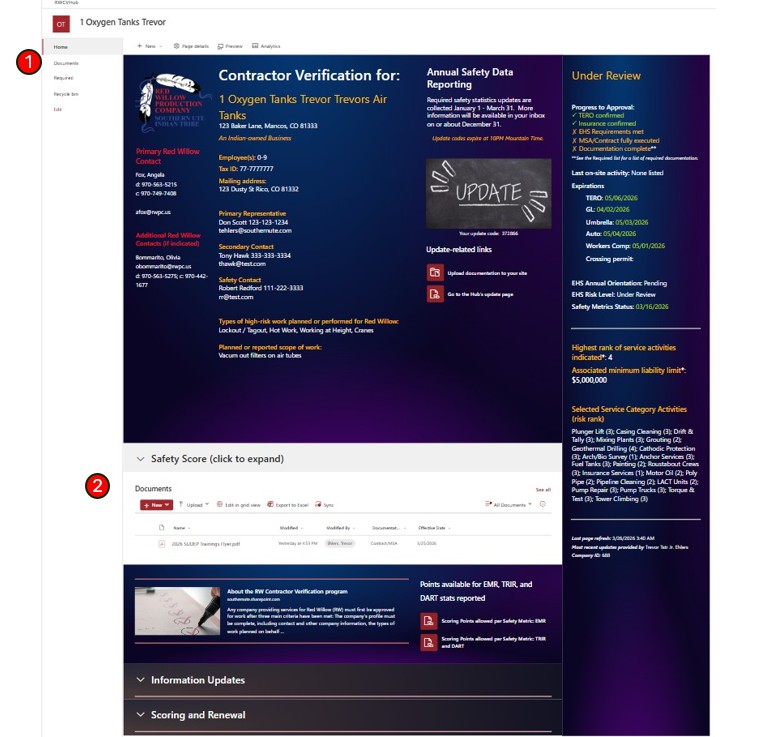
Users can upload required documents via one of 2 places:
- Documents library page is accessible via the left vertical navigation.
- The same Documents library is also embedded within your company page.
Maintaining Approved Status
To remain approved:
- Keep documents current
- Submit required annual updates
- Respond promptly to RWCV team requests
- Use RWCV forms rather than email for updates
Need Help?
If you encounter issues:
Contact the RW Contractor Verification team via one of the 2 forms: